Category: Cybersecurity

  • The AI Voice Scam That Pretends to Be Someone You Love

    The AI Voice Scam That Pretends to Be Someone You Love

    AI Voice Scam Alert

    The Voice on the Phone May Not Be Who You Think It Is

    AI voice scams are making family emergency calls harder to trust. The voice may sound familiar, but that does not mean the emergency is real.

    The phone rings.

    You’re in the middle of dinner. Driving home. Folding laundry. Half-watching TV. Doing something completely normal.

    You answer.

    And then you hear a voice that sounds like someone you love.

    “Mom? I need help. I’ve been arrested.”

    “Grandma, please don’t tell anyone. I’m in trouble.”

    “Dad, I was in an accident. My phone is dying. I need money right now.”

    Your stomach drops.

    That is exactly where this scam starts.

    Scammers can use AI voice-cloning tools to make a fake caller sound like your child, grandchild, spouse, parent, sibling, or friend.

    The voice does not have to be perfect.

    It only has to sound close enough to make you panic for a few minutes.

    And a few minutes is all a scammer needs.

    Quick Checklist: If You Receive an Emergency Call

    Before you react, remember this:

    Do not send money. No gift cards, wire transfers, cryptocurrency, payment apps, or cash pickup.
    Do not keep it secret. If they say “don’t tell anyone,” that is one of the biggest red flags.
    Hang up. You are allowed to end the call. The scammer wants you trapped in it.
    Call them back. Use the number already saved in your phone, not the number the caller gives you.
    Contact someone trusted. If you cannot reach the person directly, call someone close to them.
    Call 911 if needed. Especially if the caller claims kidnapping, immediate danger, or says someone is coming to your home.

    This Is Not Just a Senior Scam

    This scam is often called a grandparent scam because older adults and grandparents are common targets.

    But this is not only a senior issue.

    This can work on anyone who loves someone enough to panic first and verify later.

    Parents can get a fake call about a child. A spouse can get a fake call about their partner. A grandparent can get a fake call about a grandchild. A friend can get a voice message that sounds like someone they trust.

    The simple version

    This scam targets emotion, not age.

    The Scam Is Not Really About the Voice

    The AI voice gets your attention.

    The emergency gets your emotions involved.

    The secrecy keeps you isolated.

    The fake lawyer, police officer, hospital worker, or court employee makes it sound official.

    The payment request is the real goal.

    That is the whole scam.

    It may look high-tech because AI is involved, but the strategy is old: scare someone, rush them, cut them off from other people, and get the money before they have time to think.

    The voice is just the hook.

    The Panic Trigger

    This is the part people need to understand:

    Falling for the first few seconds of the call does not mean someone is stupid.

    It means they are human.

    When you hear what sounds like someone you love crying, hurt, arrested, or scared, your brain does not calmly open a fraud checklist. It reacts.

    That panic response is exactly what scammers are trying to trigger.

    They want your heart racing. They want your hands shaking. They want you worried that if you pause for even one second, something terrible will happen.

    That is why the call feels urgent.

    That is why they tell you not to hang up.

    That is why they tell you not to tell anyone.

    Educational Note

    AI voice cloning does not need to be perfect to be dangerous. In a rushed, emotional call, a voice that sounds “close enough” can be enough to make someone react before they verify.

    What the Call Might Sound Like

    “Mom, I need help. I was in an accident.”

    “Grandma, please don’t tell anyone. I’m so embarrassed.”

    “Dad, my phone is dying. I’m at the hospital and I need money.”

    “Nana, I got arrested. Please talk to my lawyer.”

    “Don’t call anyone else. I just need you to help me.”

    That last part matters.

    The scammer does not want you calling someone else. They do not want another family member walking into the room. They do not want you taking a breath.

    They want you alone, scared, and moving fast.

    The Fake Official Trick

    Sometimes the person who sounds like your loved one only stays on the phone for a few seconds.

    Then someone else takes over.

    • A fake attorney
    • A fake police officer
    • A fake doctor
    • A fake court clerk
    • A fake bail bondsman

    That switch is not random.

    The scammer does not want you asking questions only your real family member would know. They want the emotional voice to pull you in, then the “official” person to pressure you into paying.

    Very convenient.

    Very calculated.

    The fake official may say there is a case number. They may say the situation is private. They may say time is running out. They may say payment has to be made right away.

    It may sound serious.

    It is supposed to.

    Real emergencies do not work this way

    Real legal, medical, and police situations do not get solved with gift cards, cryptocurrency, wire transfers, payment apps, or cash handed to a stranger.

    No legitimate emergency gets fixed with Apple gift cards from the grocery store.

    The “Don’t Tell Anyone” Line Is a Red Flag

    This is one of the biggest warning signs.

    Scammers know that once you tell another person, the scam gets weaker.

    Someone else may say, “Hang up and call him back.”

    Someone else may ask, “Why would a lawyer need gift cards?”

    Someone else may notice the story does not make sense.

    That is why the caller says:

    “Don’t tell Mom.”

    “Don’t call Dad.”

    “Please don’t involve anyone else.”

    “You’re the only one I trust.”

    It feels personal.

    It is not.

    It is isolation.

    A real emergency does not become less real because you verified it with another family member.

    Why the “Broken Phone” Excuse Is a Trap

    Another common trick is the broken phone story.

    The caller may say:

    “My phone is dying.”

    “I lost my phone.”

    “I’m using someone else’s phone.”

    “My screen is broken.”

    “I can’t video call right now.”

    That gives them a reason for everything that feels off.

    • Why the number is different
    • Why they cannot call back
    • Why the voice sounds strange
    • Why they are rushing
    • Why they do not want questions

    The rule

    If they can call you for money, you can hang up and call them back on their real number.

    A real emergency can handle a five-minute verification call. A scam usually cannot.

    The “Courier” Myth

    This version is especially dangerous.

    The scammer tells you to withdraw money from the bank and says someone will come pick it up.

    They may call the person a courier. A legal assistant. A court representative. A bail agent. A driver.

    No.

    That is a stranger coming to collect cash from a scared person.

    If someone is coming to your house, treat it as urgent

    If anyone on the phone tells you to withdraw cash and hand it to someone coming to your home, stop immediately.

    Hang up. Call a trusted person. If someone is already on the way, call local police.

    Do not open the door for a “courier” tied to an emergency phone call.

    The Voice Message Version

    This scam does not always happen live.

    You may get a voicemail, text message, direct message, or app message with a voice recording that sounds like someone you know.

    “I’m in trouble. Call this number. Don’t call anyone else.”

    Do not call the number they give you.

    Use the number already saved in your phone. Or contact someone close to that person and ask them to verify.

    The scammer wants to control your next move.

    Do not let them.

    Red Flags to Watch For

    These are the signs that should make you stop:

    Immediate money request They ask you to send money right away.
    Secrecy They tell you not to tell anyone.
    Broken phone excuse They say their phone is lost, broken, or dying.
    No video call They refuse or avoid showing their face.
    Rushing They pressure you to act before you can think.
    Fake official They hand the phone to a lawyer, officer, doctor, or court employee.
    Unusual payment They ask for gift cards, crypto, wire transfers, payment apps, or cash.
    Cash pickup They say someone will come to collect money.
    Staying on the phone They try to keep you on the call while you go to the bank or store.
    Anger when questioned They get upset when you say you need to verify.

    What to Do If You Get One of These Calls

    Do not argue.

    Do not explain.

    Do not stay on the phone trying to catch them.

    Do not give them family details.

    Just slow it down.

    Say this and end the call

    “I need to verify this first.”

    Then hang up.

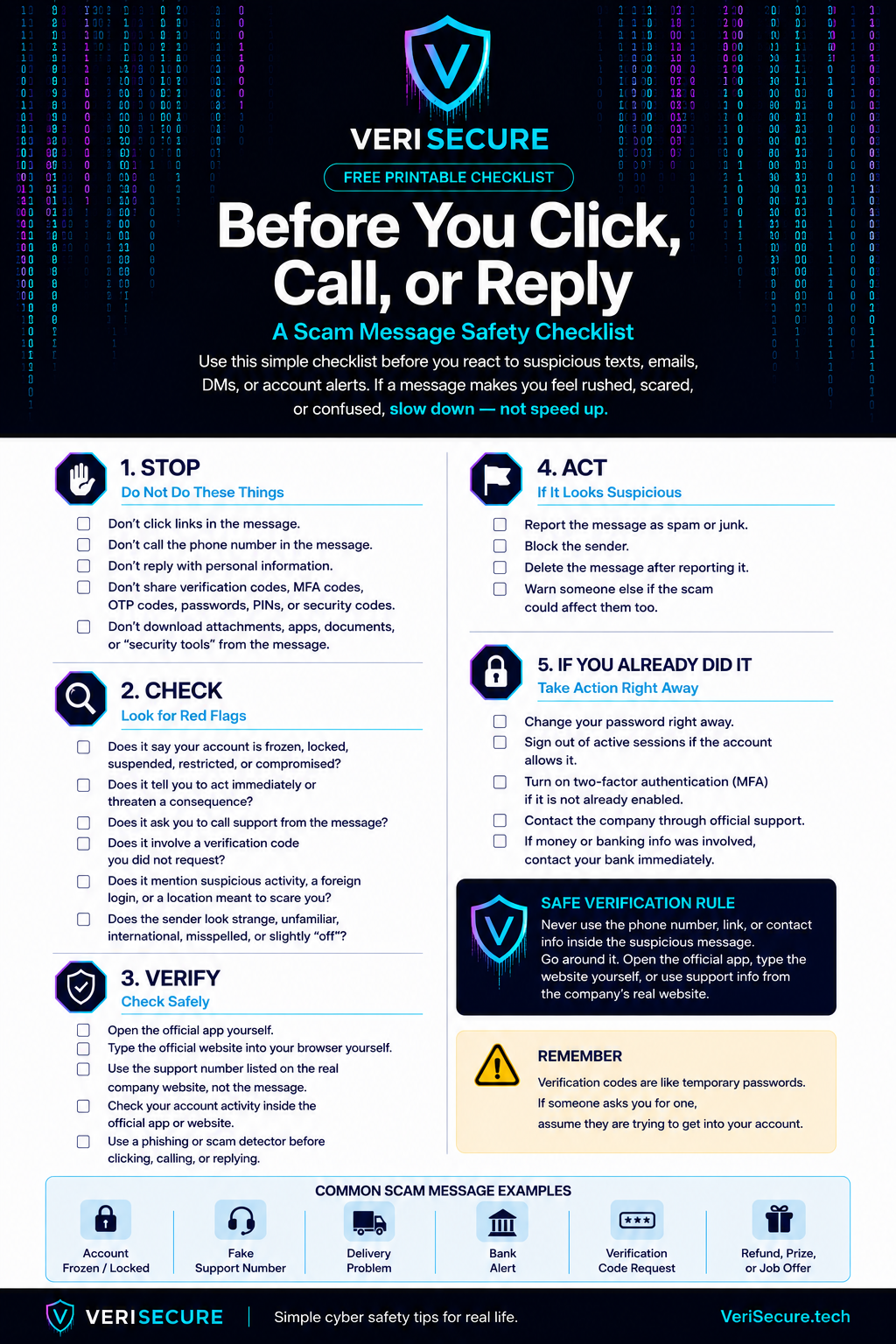
    Call the person directly using the number already saved in your phone. Do not call the number the caller gives you.

    If you cannot reach them, call someone close to them. A parent, spouse, sibling, roommate, friend, coworker, neighbor — anyone who may know where they are.

    If the caller claims kidnapping, immediate physical danger, or says someone is coming to your house, call 911.

    The goal is to get out of the pressure bubble.

    Scammers do not want you thinking clearly.

    So get off the call.

    What to Do Before This Happens

    Do this now, not when your phone is ringing and someone is crying on the other end.

    1. Set a family password

    Every family should have a simple emergency password.

    Not a birthday. Not a pet’s name. Not a school name. Not the street someone grew up on. Not something posted on Facebook.

    Pick something random and easy to remember.

    Blue mailbox.

    Purple suitcase.

    Pancakes at midnight.

    It does not need to sound serious. It just needs to be private.

    Make the rule clear

    “If you ever call me in an emergency and ask for money, I am going to ask for the family password. If you do not know it, I am hanging up and calling you back.”

    Will that feel a little awkward?

    Probably.

    Good.

    Awkward is better than losing thousands of dollars to someone pretending to be your kid.

    2. Save real phone numbers now

    Make sure you have current mobile numbers saved for close family members and trusted contacts.

    Not just an old home number.

    Not just a Facebook profile.

    Not just “I’ll find it if I need it.”

    Have the real numbers saved before there is an emergency.

    You should also know who to call if you cannot reach that person directly. A spouse, parent, sibling, roommate, neighbor, close friend, or coworker can help verify what is going on.

    3. Lock down public family details

    You do not have to delete your whole life from the internet.

    That is not realistic for most people.

    But you should look at what is public.

    Public videos, voice clips, livestreams, tagged family posts, school names, travel updates, and family relationship details can all help a scammer make a story sound more believable.

    • Check your privacy settings.
    • Limit who can see personal posts.
    • Be careful with public videos of kids, grandkids, or family members talking.

    Again, this is not about hiding from the world.

    It is about not handing scammers a script.

    What Families Should Talk About Now

    Do not just tell people, “Be careful.”

    That is too vague.

    Have the real conversation before anything happens.

    “If you ever get a call saying I am in trouble and need money, hang up and call me directly.”

    “If someone says not to tell anyone, tell someone anyway.”

    “If someone claims to be my lawyer, doctor, or police officer, verify it before doing anything.”

    “If anyone asks for gift cards, crypto, wire transfers, payment apps, or cash pickup, assume it is a scam until proven otherwise.”

    This is the kind of conversation that takes five minutes and can save someone thousands of dollars.

    Not exactly fun dinner talk, but neither is explaining to the bank why you handed cash to a fake courier.

    What Not to Do

    • Do not send money while you are still on the phone.
    • Do not buy gift cards.
    • Do not send crypto.
    • Do not wire money.
    • Do not use a payment app.
    • Do not hand cash to a courier.
    • Do not give banking information.
    • Do not share verification codes.
    • Do not confirm names, locations, or family details.

    For example, if the caller says, “It’s me,” do not say, “Michael?”

    Make them identify themselves.

    Better yet, hang up and verify another way.

    Final Thought

    Technology will keep changing, and scammers will keep finding new ways to use it.

    But their goal has not changed.

    They want you scared. They want you rushed. They want you isolated. And they want you to act before you verify.

    You do not need to be an AI expert or a cybersecurity professional to protect yourself.

    You just need to slow down, question the urgency, and verify through a number you already trust.

    Verify. Don’t react.

    If it is a real emergency, they will still be there after you hang up and call them back.

    If it is a scam, that pause may be the thing that stops it.

    Helpful resources: FTC family emergency scam guidance, FCC grandparent scam warning, and AARP fraud resources.
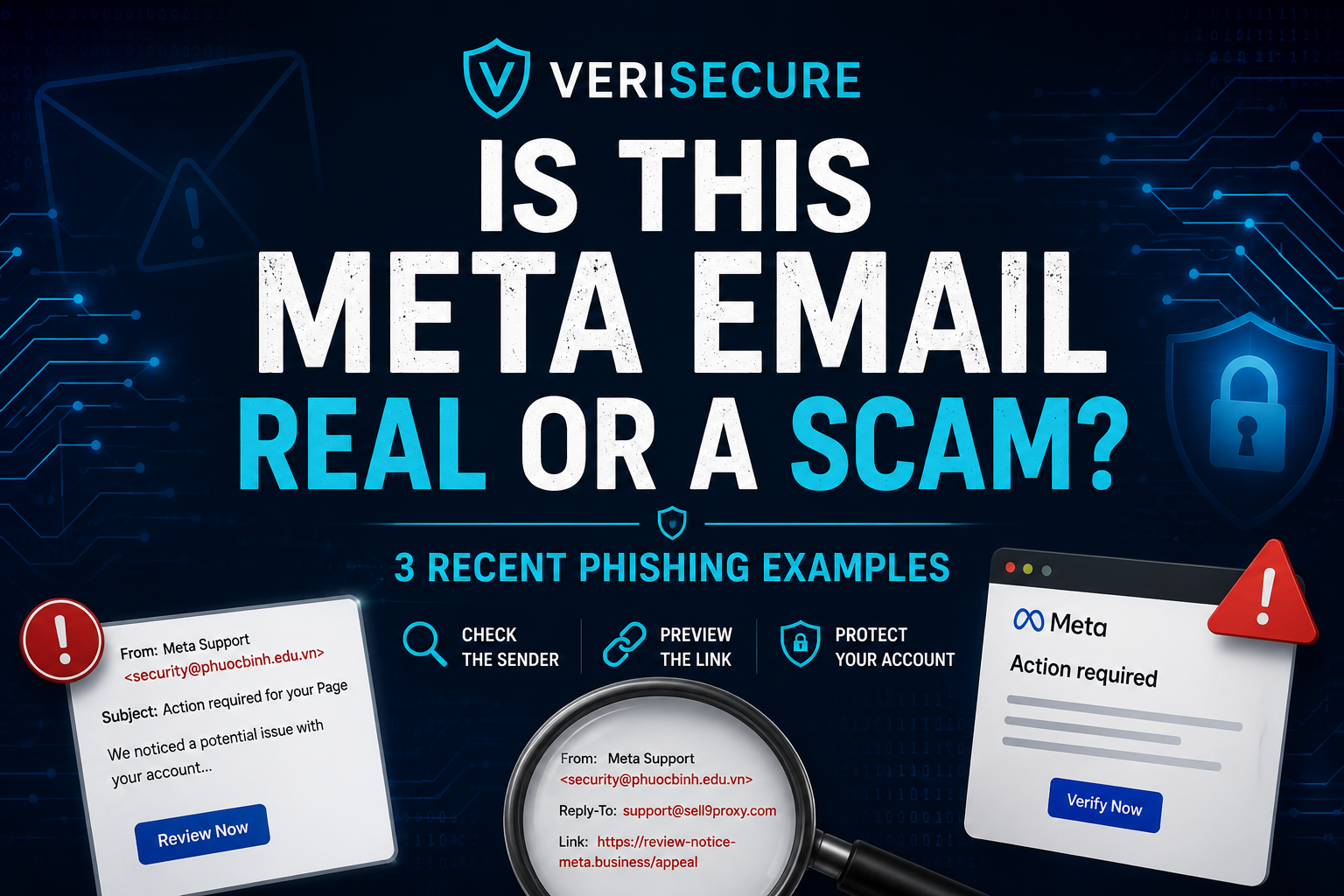
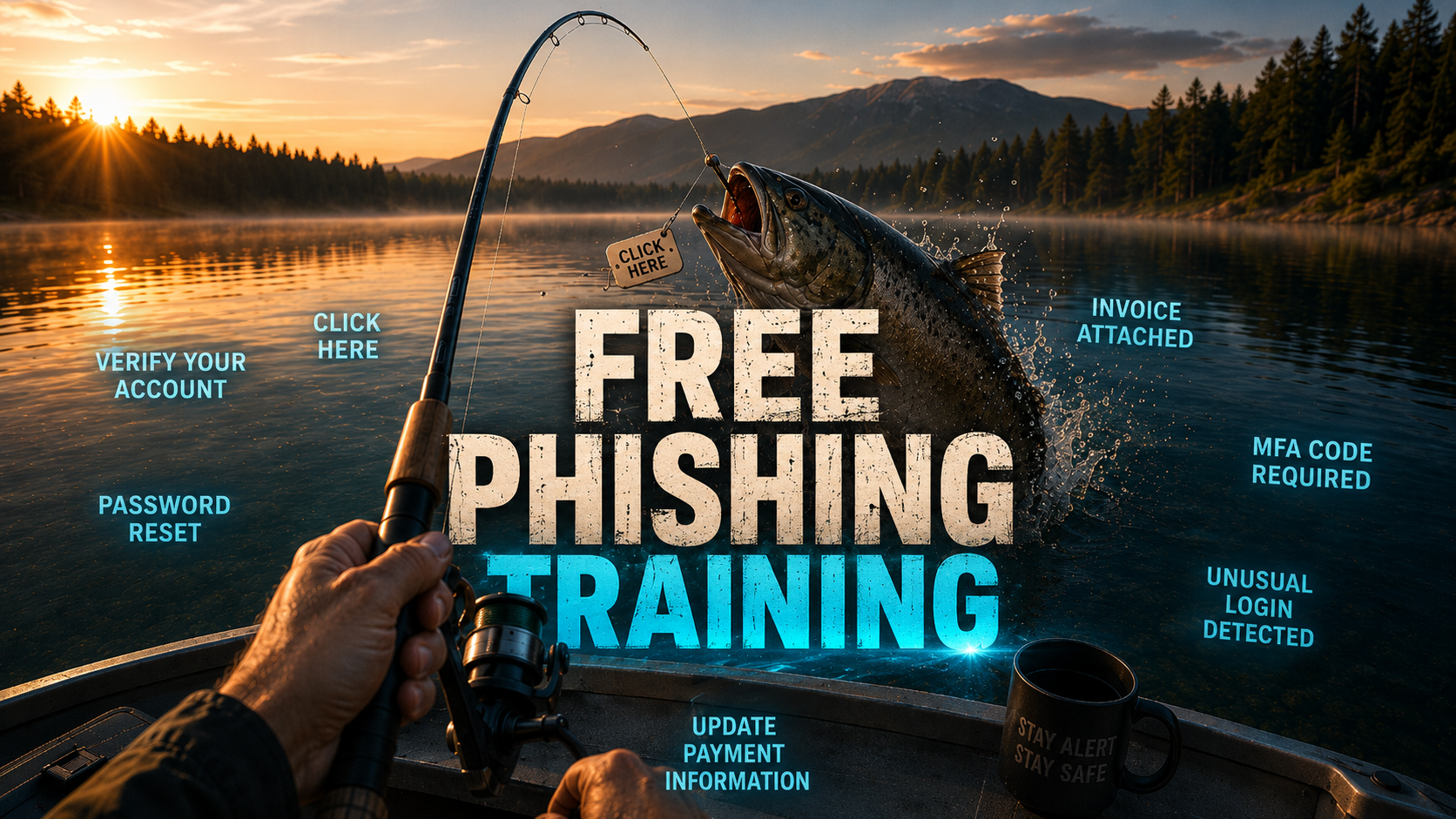
  • Free Phishing Training

    Free Phishing Training

    VeriSecure Training

    Phishing Awareness Training

    A short, practical lesson for office employees to spot suspicious links, fake logins, urgent scams, and “please handle this right now” nonsense before it becomes everyone’s problem.

    Start Here: The Scam That Looks Normal

    You are halfway through your workday when an email pops up that looks like it came from Microsoft, your boss, HR, payroll, or a vendor.

    It says your account is locked. Or your password is expiring. Or an invoice needs immediate review. Or a document was shared with you.

    It looks boring. That is the trick.

    Phishing works because it hides inside normal work. It does not always look like a cartoon villain email from a prince with a banking problem. Sometimes it looks like Tuesday.

    The golden rule:
    Stop. Check. Report. Stop before clicking. Check the sender and link. Report anything suspicious through the official company process.

    What Is Phishing?

    Phishing is when a scammer pretends to be someone trustworthy so they can trick you into doing something risky.

    Usually, they want you to:

    • click a fake link
    • enter your password on a fake login page
    • open a malicious attachment
    • send money or gift cards
    • approve a fake request
    • share private company, customer, payroll, or personal information

    The goal is simple: make you act before you think.

    Very sophisticated. Very annoying. Very much not your fault if it looks convincing — scammers spend their whole day making this garbage look real.

    Common Warning Signs

    Most phishing messages have at least one warning sign. You do not need to be a cybersecurity expert. You just need to slow the process down long enough to notice what feels off.

    Urgent threats

    Messages like “your account will be locked,” “final warning,” or “immediate action required” are designed to make you rush.

    Suspicious links

    Hover over links on desktop, or press and hold on mobile, to preview where they really go before opening them.

    Odd sender address

    The display name may look familiar, but the real email address may be misspelled, random, or from a free email service.

    Unexpected attachments

    Fake invoices, payroll forms, shipping notices, or “updated documents” are common bait.

    Fake login pages

    A message says your Microsoft, Google, payroll, or company account needs verification. Convenient. Also suspicious.

    Gift card requests

    A “boss” asks you to buy gift cards urgently. This scam has been around forever because apparently it still works.

    Fake file shares

    Scammers copy OneDrive, SharePoint, Dropbox, Google Drive, and DocuSign-style emails to steal logins.

    Requests to bypass process

    Anything asking you to skip normal approval, payment, payroll, or security steps deserves extra attention.

    What To Do Instead

    If something feels suspicious, do not try to “investigate” by clicking around. That is how the scam gets a second chance.

    • Do not click links. Go directly to the official website or app instead.
    • Do not open unexpected attachments. Especially invoices, payroll files, ZIP files, or “secure documents.”
    • Do not reply with sensitive information. Real IT, payroll, banks, and vendors should not need your password by email. Ever.
    • Do not forward suspicious emails to coworkers. Use the official reporting method so IT can inspect it safely.
    • Verify through a known channel. Use a known phone number, company chat, ticketing system, or official website — not the contact info inside the suspicious email.
    • Report it. Send suspicious messages to your IT/security team using the approved method.
    Report suspicious emails here: [Insert IT Helpdesk Email / Phishing Report Button / Ticket Link Here]

    Tip: Replace the placeholder above with your company’s real reporting email, security mailbox, helpdesk link, or “Report Phishing” button instructions.

    Reporting Is Not Getting in Trouble

    This part matters.

    If you clicked something suspicious, report it quickly. Do not sit there silently hoping the email fairy reverses time.

    Security teams would rather hear about a possible mistake early than discover it later after accounts, files, or customer data are involved.

    Reporting a suspicious email is not tattling on yourself. It is how IT protects everyone else before the same scam spreads.

    If You Already Clicked Something Suspicious

    Do not panic, but do not ignore it either. Fast reporting helps stop small problems before they become company-wide headaches.

    • If you clicked a link: close the page and report it.
    • If you entered your password: change it immediately from a trusted device and notify IT.
    • If you opened an attachment: stop using the device and contact IT.
    • If you approved an MFA prompt you did not request: report it immediately.
    • If you shared payment, payroll, customer, or personal information: report it right away so the company can respond quickly.
    Do not delete the email unless IT tells you to. The security team may need the message headers, links, attachment details, or timing to investigate.

    Quick Phishing Safety Checklist

    • Stop before clicking anything unexpected.
    • Check the real sender address, not just the display name.
    • Preview links before opening them.
    • Be suspicious of urgency, threats, and “do this now” language.
    • Do not open unexpected attachments.
    • Verify payment, payroll, password, and login requests through a known channel.
    • Do not forward suspicious emails to coworkers.
    • Report suspicious messages using the official process.
    • If you clicked or entered information, report it quickly.

    Phishing Awareness Quiz

    Check what you remember. No pressure. This is training, not a courtroom drama.

    The Takeaway

    Phishing works because people are busy, distracted, and trying to get through the day. Scammers know that. They count on it.

    You do not have to be paranoid. You just need a pause button.

    Stop before clicking. Check the sender and link. Report anything suspicious. One slow click can save a very long cleanup.

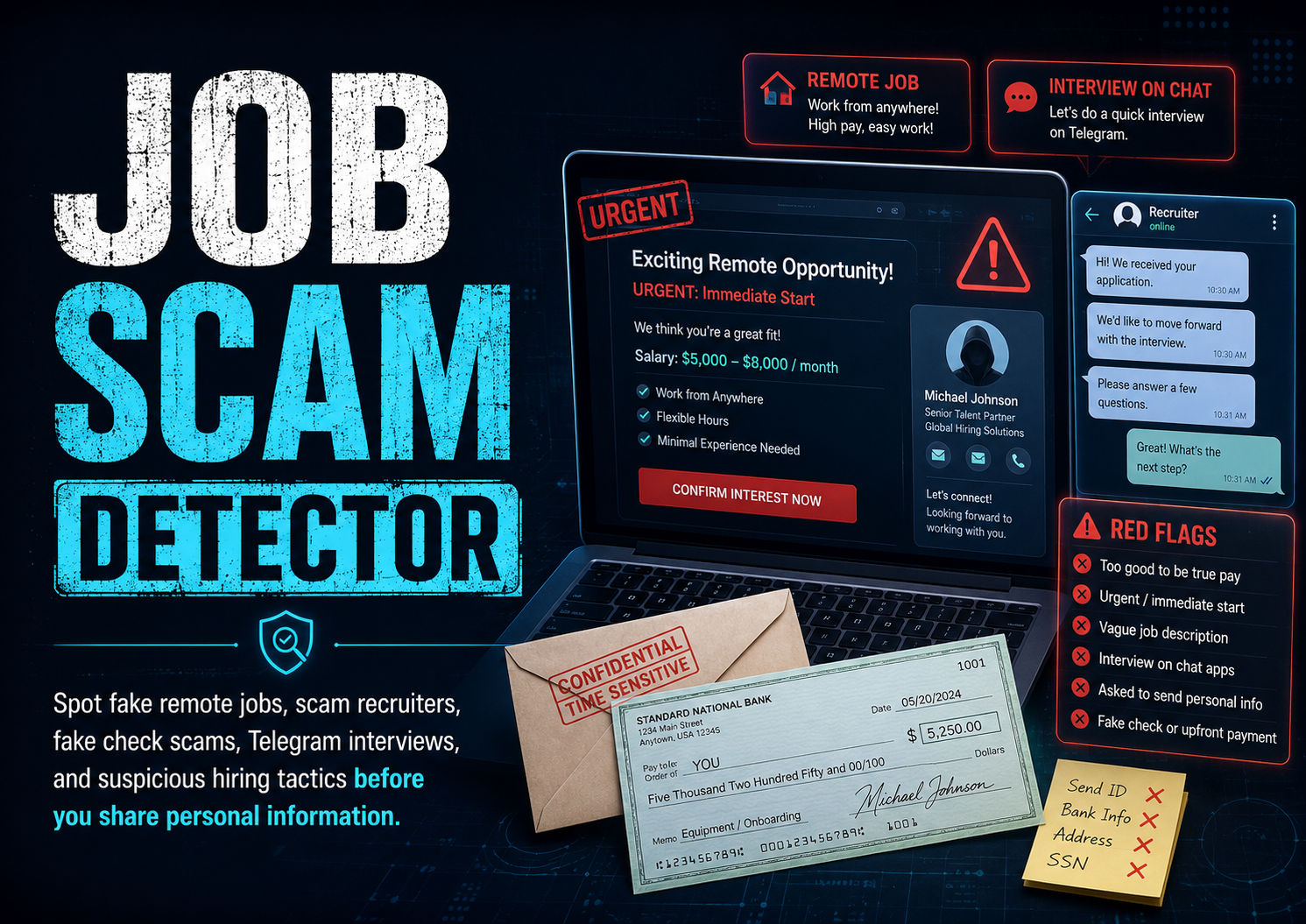
  • Is This Job a Scam? Checker

    Is This Job a Scam? Checker

    Job Scam Detector

    Is This Job Offer Legit?

    Paste any suspicious job offer, recruiter message, remote work listing, or onboarding instructions below. The tool checks for common scam signs and gives you safer next steps.

    Privacy note: this runs in your browser. Do not paste passwords, Social Security numbers, bank numbers, ID photos, or private account details.

    Risk Level

    Score: 0/100

    Red Flags Found

      Safer Next Steps

        Highlighted Red Flags

        Results copied.

        Educational tool only. A low score does not guarantee a job is legitimate. Always verify the employer, recruiter, email domain, and interview process before moving forward.

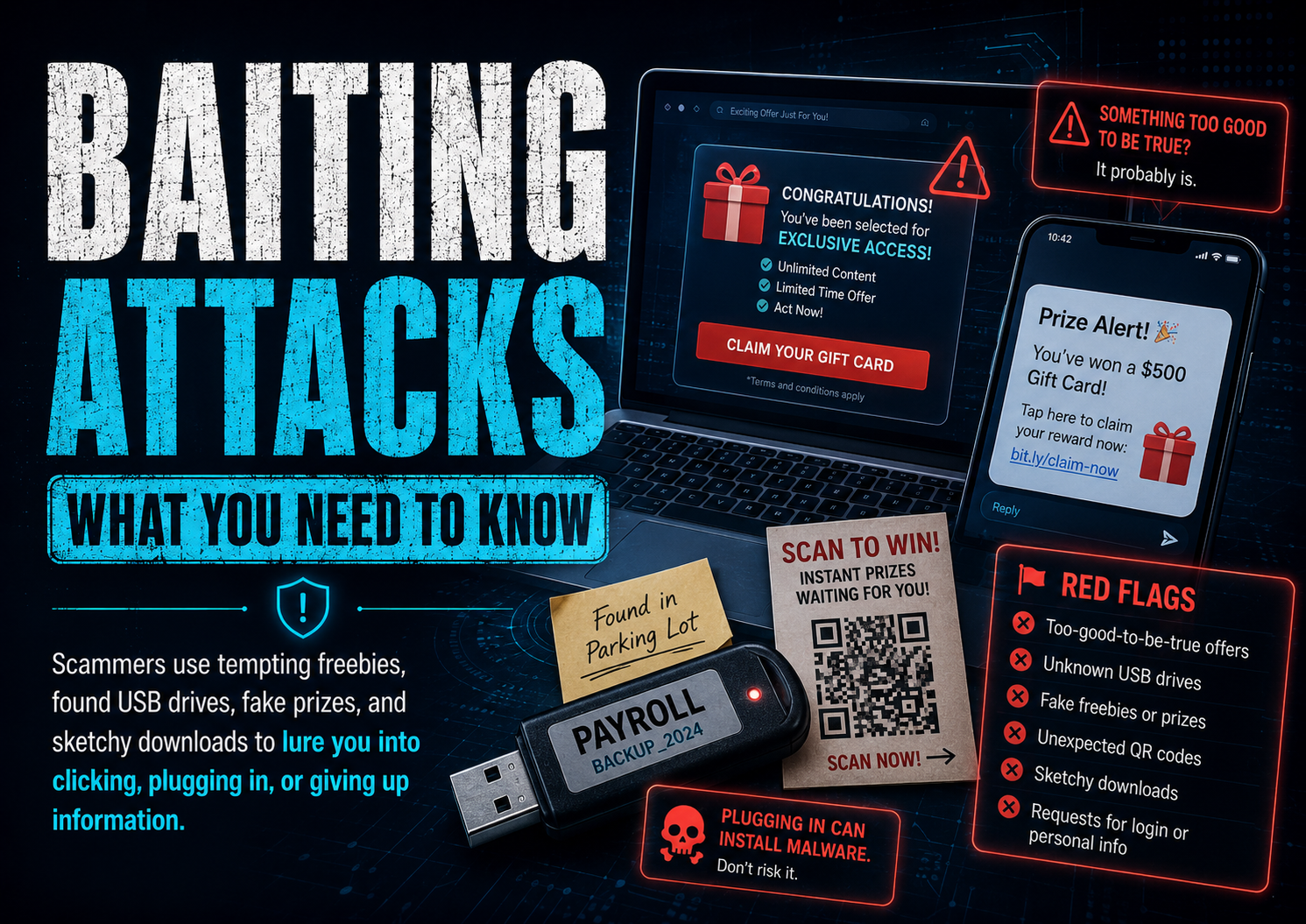
      • Baiting Attacks: What You Need to Know

        Baiting Attacks: What You Need to Know

        What Is Baiting in Cybersecurity?

        The scam that relies on curiosity, free stuff, and people thinking, “I’ll just check real quick.”

        VeriSecure Beginner Cyber Basics

        You are walking through a parking lot and see a USB drive on the ground.

        It has a label on it: Payroll.

        Now your brain starts doing what brains do: “Whose is this? Is there something important on it? Should I check?”

        That little moment of curiosity is exactly what scammers are counting on.

        Not every cyberattack starts with a hoodie-wearing hacker typing dramatic nonsense in a dark room. Sometimes it starts with something small, tempting, convenient, or free.

        That is called baiting.

        What Is Baiting?

        Baiting is a type of social engineering attack where a scammer leaves, sends, or offers something tempting so you interact with it.

        The bait might be:

        • a USB drive left in public
        • a fake QR code
        • a “free gift card” link
        • a fake giveaway
        • a public charging cord
        • a message saying you won something
        • a file that looks private, urgent, or interesting

        The goal is usually to get you to click, plug in, scan, download, log in, or hand over information.

        It works because scammers are not just attacking devices. They are poking at human behavior: curiosity, urgency, fear, excitement, and the magical power of the word “free.”

        Common Examples of Baiting

        1. USB Drives Left in Public

        This is the classic baiting example.

        Someone leaves a flash drive in a place where a curious person might find it:

        • parking lot
        • school
        • library
        • office hallway
        • coffee shop
        • near a business entrance

        The label might say something like:

        • Payroll
        • Private Photos
        • Confidential
        • Staff Bonuses
        • Student Records
        • Layoff List

        Subtle? No. Effective? Unfortunately, yes.

        The scammer wants someone to plug it in “just to see what is on it.” That one decision can expose the device to malware, stolen files, password theft, or unauthorized access.

        What to do instead: Do not plug in random USB devices. Not into your laptop. Not into your work computer. Not into “the old computer you do not care about.” That is how the problem gets invited inside and offered snacks.

        Workplace note: If you find a suspicious USB drive at work, do not plug it in and do not just toss it in the trash. Turn it in to your IT or security team so they can investigate and warn others if needed.

        2. Fake QR Codes

        QR codes are everywhere now: restaurants, parking meters, flyers, ads, packages, event signs, gas stations, and payment screens.

        That convenience is exactly why scammers like them.

        A fake QR code can send you to:

        • a fake login page
        • a fake payment page
        • a malware download
        • a scam giveaway
        • a page asking for personal information

        Sometimes scammers place a fake sticker over a real QR code. So yes, even the parking meter has entered its villain era.

        This type of scam is often called quishing, which means QR code phishing.

        What to do instead: Before scanning, look for sticker overlays, weird placement, misspelled URLs, or anything that feels off. After scanning, check the web address before entering passwords, payment details, or personal information.

        If the QR code takes you to a login page you were not expecting, stop. Go to the company’s website yourself instead of trusting the code.

        3. Fake Giveaways and “Free” Offers

        Scammers know people love free things.

        Common bait includes:

        • Claim your free gift card
        • You won an iPhone
        • Free game currency
        • Free Robux
        • Free vacation giveaway
        • Free sample — just pay shipping
        • Limited-time reward

        These scams often target kids, teens, older adults, and busy people scrolling too fast.

        The goal is usually to steal logins, collect personal information, trick someone into entering card details, or get them to download something unsafe.

        What to do instead: If the offer is random, urgent, and weirdly generous, slow down. Search for the company yourself. Do not enter passwords or payment details from a link that came out of nowhere.

        Free is not always free. Sometimes it is just the scammer’s favorite wrapping paper.

        4. Public USB Charging Stations and Random Cables

        Public USB charging ports are not automatically evil, but they are not worth trusting blindly either.

        The safer move is to avoid random USB data connections when you can.

        Use:

        • your own charging brick
        • a wall outlet
        • a portable battery pack
        • a charge-only cable or USB data blocker if you travel often

        What to do instead: Do not plug your phone into random cables handed to you by strangers, left in public areas, or attached to unknown charging stations.

        Your phone does not need mystery electricity with side effects.

        Small Educational Note: Why Baiting Works

        Baiting works because it does not start by asking you to “be hacked.”

        It starts by making something look useful, urgent, private, exciting, or harmless.

        A USB labeled “Payroll” makes people curious. A QR code at a parking meter feels normal. A free giveaway feels exciting. A charger at the airport feels convenient.

        That is the trick. The bait is designed to make your guard drop before your common sense has a chance to clock in.

        Who Gets Targeted?

        Baiting can target anyone.

        But scammers often aim at people they think may be more likely to click, scan, plug in, or trust something that looks official.

        That can include:

        • kids and teens
        • older adults
        • students
        • employees
        • busy parents
        • people rushing through errands
        • anyone distracted, tired, or under pressure

        This is not about blaming people for being curious. Curiosity is normal. Scammers just know how to weaponize it because apparently regular crime was not annoying enough.

        Warning Signs to Watch For

        Pause if something:

        • feels too good to be true
        • creates urgency
        • asks for passwords unexpectedly
        • asks for payment right away
        • promises free rewards
        • comes from an unknown source
        • uses fear, excitement, or pressure
        • appears random, misplaced, or suspicious
        • tries to make you act before thinking

        A few seconds of hesitation can save you from hours, days, or weeks of cleanup. And yes, that is annoying. But so is losing an account because a fake QR code wore a convincing little costume.

        Simple Safety Tips

        Never Plug in Random USB Devices

        • Do not plug in found flash drives.
        • Do not test them “just to see.”
        • At work, school, or a business, report suspicious drives to staff, IT, or security.

        Be Careful Scanning QR Codes

        • Check for sticker overlays.
        • Look at the web address before entering information.
        • Do not log in after scanning a random code.
        • When in doubt, go to the company’s website yourself.

        Do Not Trust Random “Free” Offers

        • Be skeptical of free money, electronics, game items, or gift cards.
        • Do not enter payment details just to “claim” a prize.
        • Teach kids to ask before clicking giveaway links.
        • Help older relatives slow down and verify before trusting anything official-looking.

        Use Your Own Charger When You Can

        • Use a wall outlet and your own charging brick.
        • Carry a portable battery pack.
        • Avoid random public USB cables.
        • Do not tap “Trust This Computer” unless you truly trust the device you connected to.

        Software Helps, But It Is Not Magic

        Good security software can help flag suspicious files, bad links, or malware.

        But it should not be your only defense.

        Do this too:

        • Keep your device updated.
        • Keep your browser updated.
        • Use antivirus or anti-malware protection.
        • Do not ignore security warnings.
        • Do not test suspicious files, links, or QR codes “just to see what happens.”

        Security software is a safety net. It is not permission to juggle knives because there is a first-aid kit nearby.

        What to Do If You Already Took the Bait

        First: do not panic.

        Second: do not ignore it and hope the problem gets bored and leaves. That is not a plan. That is denial with Wi-Fi.

        Do this based on what happened:

        • If you plugged in a random USB drive: remove the USB drive, disconnect from the internet, and run a full security scan.
        • If this happened on a work or school device: report it to IT or security immediately. Do not try to “fix it quietly.”
        • If you scanned a suspicious QR code: close the page. Do not enter passwords, payment details, or personal information.
        • If you entered a password: change that password from a different trusted device and turn on MFA.
        • If you reused that password anywhere else: change it on every account where you used it.
        • If you entered banking or card information: contact your bank or card provider right away.
        • If you downloaded a file: do not open it. Delete it and run a malware scan.
        • If accounts start acting weird: sign out of active sessions, change passwords, enable MFA, and review recovery email/phone settings.

        If you are not sure what happened, ask for help sooner rather than later. Small problems are easier to fix before they turn into a whole digital cleanup circus.

        Quick Baiting Safety Checklist

        • Do not plug in random USB drives.
        • Report suspicious USB drives at work, school, or public locations.
        • Check QR codes before entering information.
        • Avoid login pages opened from random QR codes.
        • Do not trust surprise giveaways or free reward links.
        • Use your own charging brick or portable battery pack.
        • Keep your device, browser, and security software updated.
        • Teach kids to ask before clicking, scanning, or downloading.
        • Help older relatives slow down and verify before acting.
        • If you already interacted with something suspicious, act quickly and change passwords from a trusted device.

        The Takeaway

        Baiting scams work because they target curiosity, convenience, excitement, and urgency.

        That does not mean people are careless. It means scammers design traps around normal human behavior.

        Whether it is a USB drive, QR code, fake giveaway, suspicious link, or random charging cable, pause before you interact with it.

        If something is trying hard to make you curious, excited, rushed, or careless, stop. That pause is the protection scammers are hoping you skip.