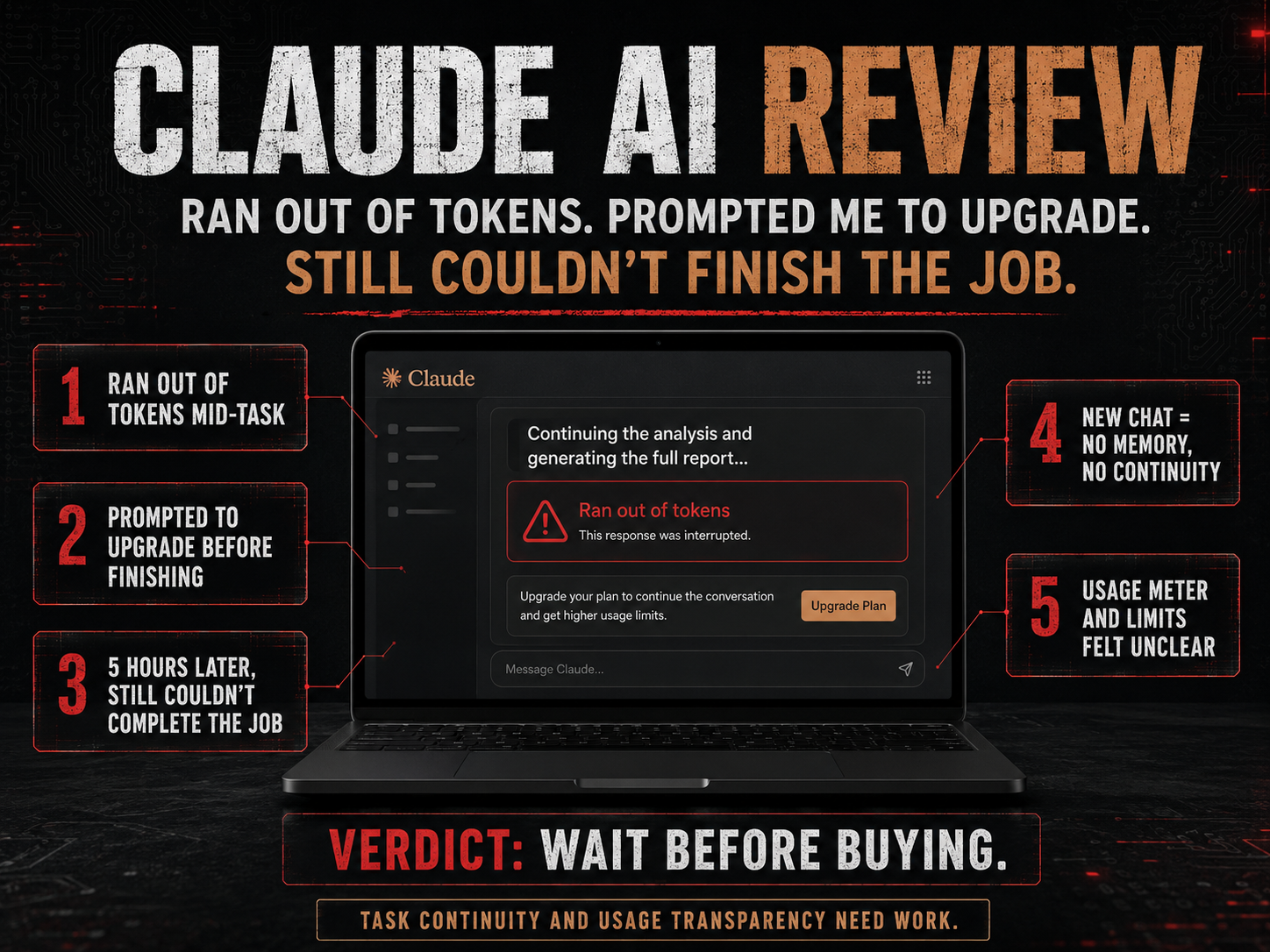
A Flawed Token System That Wastes Your Time: My Claude.AI Experience
Claude may be powerful, but my experience with its usage limits turned a simple website task into a stop-start mess.
VeriSecure Tool Review
I recently tried Claude for a few backend tasks related to my website and business.
Nothing dramatic. I was not asking it to rebuild the internet, write a classified government system, or perform some AI miracle while violins played in the background.
I needed help reorganizing website categories and cleaning up some structure.
Basic website housekeeping.
Since Claude offers a free tier, I wanted to test it before deciding whether it was worth adding to my regular workflow.
That test did not go well.
The Short Version
Claude started the task, hit a usage limit before finishing, pushed me toward upgrading, then failed to resume the work cleanly after the reset.
The problem was not simply that a free plan had limits.
Free plans have limits. Fine. That is expected.
The problem was that Claude accepted the work, let the task run into a wall, and then gave me no reliable way to continue where it left off.
That is not just inconvenient.
That breaks the workflow.
The Task Was Small. The Usage Limit Was Not.
For context, my website is small. The task was not especially AI-intensive.
I asked Claude to help reorganize website categories and structure information in a more useful way.
That is exactly the kind of thing AI tools advertise themselves as being useful for: organizing, cleaning up, planning, and saving time.
Claude started the work and made some progress.
Then it stopped because I hit the free usage limit.
Again, the issue is not that the free tier had a limit. The issue is that Claude did not warn me upfront that the task might exceed the available usage window.
It accepted the task, got partway through, and left the work unfinished.
Then the interface pushed me toward upgrading.
And that is where the whole thing started feeling less like a productivity tool and more like a vending machine that eats your dollar, blinks politely, and suggests buying the bigger plan.
Small Educational Note: Tokens Are Not How Normal People Think
AI companies often measure usage with tokens, messages, context windows, model limits, and reset periods.
That may make sense internally.
But normal users do not think, “How many tokens will this category cleanup cost?”
They think:
- Can this finish my task?
- Can it continue later?
- Will I lose my work?
- Will I need to explain everything again?
- If I pay, what does that actually get me?
That gap is the problem.
If the product speaks in usage multipliers but the user works in real tasks, someone is going to end up frustrated. Spoiler: it is not the billing page.
The Upgrade Messaging Was Not Clear Enough
After Claude hit the usage limit, I looked at the paid options.
The usage language sounded impressive, but not practical enough for what I needed to know.
Anthropic’s help documentation describes paid plans in terms of usage capacity, including Pro, Max 5x, and Max 20x. Max 5x is listed as 5x Pro capacity per session, and Max 20x is listed as 20x Pro capacity per session.
That sounds helpful on paper.
But as a user, I was not trying to buy “capacity per session.”
I was trying to figure out whether Claude could finish the work it had already started.
That is a very different question.
What I needed to know was:
- Will this plan finish a website organization task?
- How much does a long conversation reduce usable capacity?
- Does task complexity affect the limit?
- Does the model choice change how fast usage gets consumed?
- Will recovery attempts count against me if Claude fails mid-task?
- Will I be able to continue the same work after a reset?
Those are the questions that matter when you are using AI for real work.
A multiplier like “5x” or “20x” sounds big, but it does not tell a regular user what they can actually complete.
People do not buy AI because they want a bigger invisible meter.
They buy it because they want work finished.
Five Hours Later, I Still Could Not Resume the Work
After hitting the usage limit, I waited for the reset period and returned to the same chat.
I asked Claude to continue where it left off.
It responded like it could keep going.
Then it failed.
When I clicked to try again, I was told the chat was full and that I needed to start a new conversation.
So the process went like this:
- Claude accepted the task.
- Claude started the work.
- Claude hit a usage limit before finishing.
- The interface pushed an upgrade.
- I waited for usage to reset.
- I returned to continue the same task.
- Claude could not finish the response.
- The chat was suddenly too full to continue.
- I had to start a new conversation.
- The new chat did not have the full context of the previous work.
That is not a smooth workflow.
That is a dead end with extra steps.
And once that happens, the user is no longer doing the original task. The user is now managing the AI tool’s limitations.
That is backwards.
The Most Annoying Part: Recovery Burned Usage Too
Before trying to resume, the interface made it look like I still had usable capacity.
But I spent that remaining capacity trying to get Claude to continue a task it had already abandoned.
That is not productive usage.
That is recovery usage.
There is a difference.
If an AI tool stops mid-task because of its own usage limits, the user should not have to burn more limited usage explaining the same context again, asking it to resume, or rebuilding the conversation from scratch.
That is like hiring someone to organize your office, having them leave halfway through, and then being charged extra because you had to remind them where the office was.
No thanks.
The Real Problem Is Task Continuity
I understand that AI tools have limits.
Longer chats use more context. Larger files use more capacity. More complex tasks can burn through available usage faster. Different models and features can affect limits too.
That part makes sense.
The problem is that Claude accepted work it could not finish and then gave me no clean way to continue that work after the reset.
A better system would ask the right questions before the user hits the wall:
- Is this task likely to exceed the current usage window?
- Is the chat getting too long to continue safely?
- Should the user split the project into smaller parts?
- Should Claude create a summary before the session ends?
- Should Claude provide a handoff note for the next chat?
- Will the user be able to resume after the reset?
Those are not luxury features.
Those are basic workflow protections.
If a tool is going to stop users mid-task, it needs a better way to preserve the work.
What Support Clarified
When I contacted support, the explanation confirmed the parts that matter most from a user perspective.
Usage can depend on things like message length, files, conversation length, model choice, and features used. Claude’s own help documentation also explains that usage limits reset on a session basis and that limits can vary depending on how you use the tool.
That explains why the experience happened.
It does not make it less frustrating.
Because from the user side, the experience was simple:
- Claude started the job.
- Claude stopped mid-task.
- Claude told me to wait.
- Claude failed to resume properly.
- Claude forced me to rebuild the context.
That is the problem.
If a product is being sold as a serious work assistant, the system needs to protect the work better than this.
The Problem with Token-Based AI for Real Work
Token-based systems can become very user-unfriendly when users cannot see the real cost of a task before starting.
Most people are not trying to calculate message length, context windows, model behavior, and reset timing.
They are trying to get something done.
A good AI workflow should help users understand:
- whether a task is too large for the current session
- whether they should split the task into smaller parts
- whether the chat is getting too full
- whether continuing later will work
- whether recovery attempts will burn more usage
- what a paid plan realistically changes
Without that, users are left guessing.
And guessing is not a workflow.
It is a tech company making the user do the planning the product should have handled.
What Claude Needs to Improve
Claude may be a strong AI model. That is not really the issue.
The issue is reliability.
If Anthropic wants people using Claude for real business workflows, the platform needs stronger safeguards around limits, interruptions, and recovery.
1. Better Task Continuity
If a task stops because of usage limits, users should be able to resume from the same point after the reset.
Not “start a new chat and explain everything again.”
A serious work tool needs a serious handoff system.
2. Clearer Usage Transparency
Usage multipliers sound impressive, but users need practical expectations.
Tell people what affects usage, what drains it faster, and what kinds of tasks are likely to hit limits.
People should not need a decoder ring to understand whether a paid plan can finish their work.
3. Pre-Task Warnings
Before Claude accepts a larger task, it should warn the user if the job may exceed the current session.
Something simple would help:
“This task may be too large to complete in one session. Do you want me to break it into smaller steps?”
That would prevent a lot of frustration.
It would also make Claude feel more like a work assistant and less like a machine that waits until you are invested before announcing the meter ran out.
4. Better Error Handling
If Claude fails while trying to resume an interrupted task, that recovery attempt should not punish the user.
The system should not burn limited usage while the user is trying to recover from a failure the platform created.
Recovery should be treated differently from normal usage.
Because when the user is spending their allowance just trying to get back to where they already were, the product has stopped helping.
Quick Takeaways
- Claude may be useful for short tasks, writing, planning, and research.
- My issue was not that limits exist. It was how the platform handled an interrupted task.
- Usage claims like 5x or 20x need clearer real-world explanations.
- AI tools should warn users before starting tasks that may exceed the session.
- Interrupted work should be easier to resume.
- Recovery attempts should not waste more limited usage.
- If you need long, continuous business workflows, be careful before paying.
The Takeaway
Claude has potential.
The model can produce strong responses. I can see why people like it for writing, planning, research, coding, and brainstorming.
But based on my experience, the usage system is not transparent enough for the kind of practical workflow I needed.
The biggest issue is not simply that limits exist.
The issue is that Claude can let you start a task, stop before the work is finished, fail to resume cleanly, and make you spend more usage trying to recover.
That is not efficient.
That is not user-friendly.
If you only use Claude for quick questions or short writing help, you may be fine.
But if you want it for real business workflows, website organization, long chats, or anything that requires continuity, be careful before paying.
A tool that starts the job but cannot reliably help you finish it is not saving time. It is just creating a more expensive version of “try again later.”